5G Network Settings: Complete Guide to Optimizing Your 5G Connection
5G connectivity has changed the way mobile networks are configured, managed, and optimized. Unlike previous generations of wireless technology, 5G is not simply an upgrade that replaces older networks with faster speeds. It introduces a more flexible architecture involving multiple frequency bands, different deployment models, advanced antenna systems, and device-level configuration choices that influence performance.
For many users, the term 5G Network Settings appears as a simple option inside smartphone menus. However, behind that setting exists a complex interaction between the device modem, carrier infrastructure, network availability, spectrum allocation, and software configuration. Choosing the right settings can affect connection stability, battery consumption, latency, and overall mobile experience.
A common misunderstanding is that enabling 5G automatically guarantees the fastest possible connection. In reality, network quality depends on several variables, including location, signal conditions, supported frequency bands, carrier optimization, and device capability. The settings available on a smartphone are only one part of a much larger system.
Understanding how these configurations work allows users to make better decisions instead of relying on default options. Whether the goal is improving speed, extending battery life, or maintaining reliable connectivity, proper configuration requires understanding the relationship between technology and real-world conditions.
Understanding “5G Network Settings”
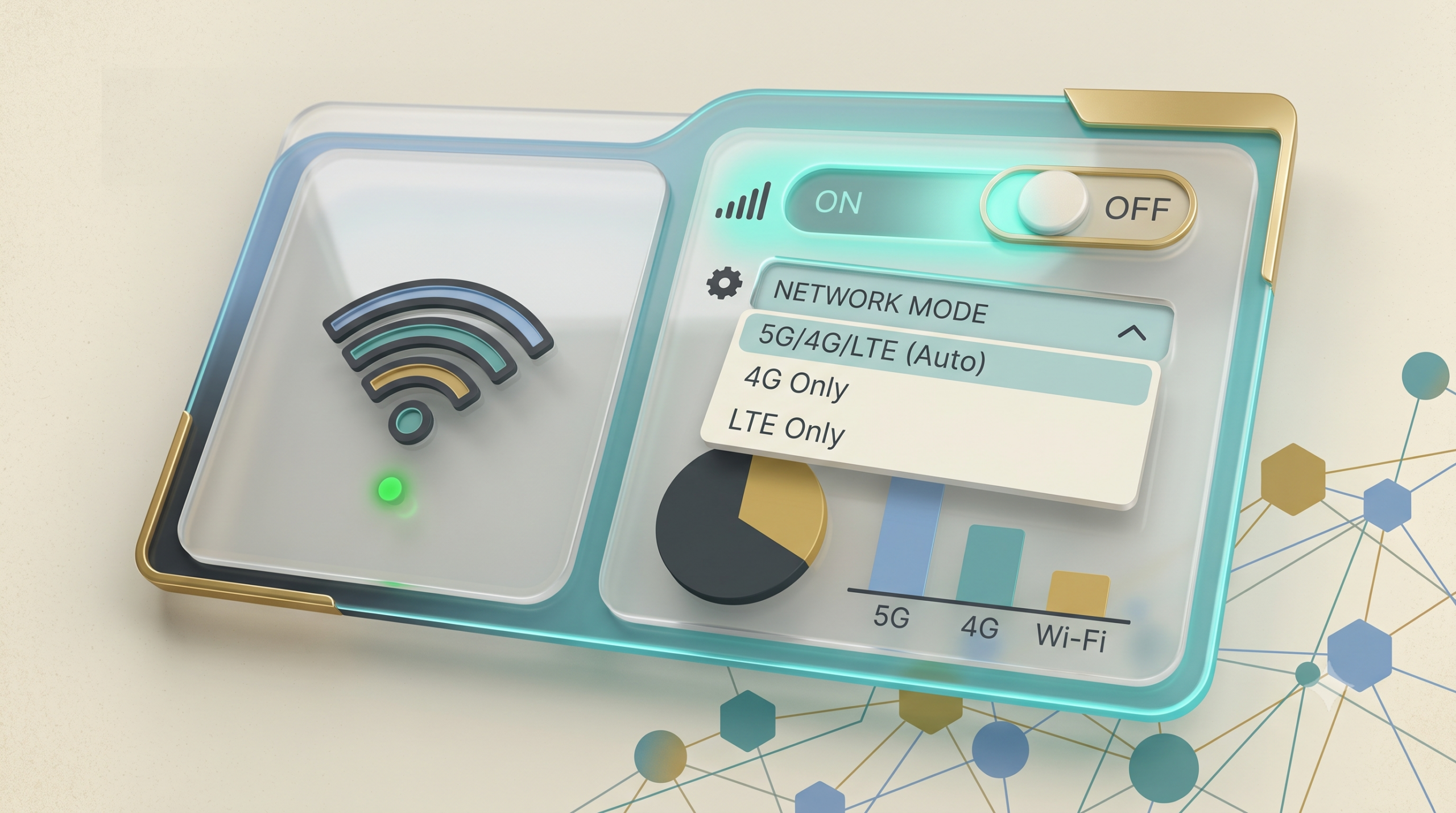
5G Network Settings refers to the collection of device and network configuration options that determine how a smartphone or connected device interacts with fifth-generation cellular networks.
These settings typically control:
- Preferred network mode
- Automatic or manual 5G selection
- LTE and 5G fallback behavior
- Carrier configuration profiles
- Mobile data preferences
- Roaming behavior
- Voice network compatibility
- Battery optimization features
Although the menu appears simple, each option represents a technical decision. A smartphone does not directly “choose the internet speed.” Instead, it communicates with nearby cellular infrastructure and negotiates the best available connection based on network conditions.
Why Default Settings Are Not Always Optimal
Manufacturers and carriers usually configure devices for general compatibility. These default settings prioritize broad usability rather than specific user needs.
For example, a user in an area with excellent 5G coverage may benefit from keeping 5G enabled continuously.
However, a user in an area where 5G signals are weak may experience better results by allowing automatic switching between 5G and LTE.
This happens because weak 5G signals can force the device to increase transmission power, causing faster battery drain without providing meaningful performance improvement.
Deep Contextual Background: The Evolution Toward 5G
The development of mobile networks has always followed a pattern of solving previous limitations.
From 1G to 5G
1G: Voice Communication
The first generation of mobile networks focused primarily on analog voice calls. Data communication was extremely limited.
2G: Digital Networks
The introduction of digital communication enabled the following:
- SMS messaging
- Improved voice quality
- Basic data services
3G: Mobile Internet
Third-generation networks introduced practical mobile browsing, email access, and early smartphone connectivity.
4G LTE: Broadband Mobility
LTE transformed mobile networks into high-speed internet platforms. Streaming, cloud applications, and modern mobile services became possible.
5G: Flexible Network Architecture
5G was designed not only for faster consumer internet but also for:
- Industrial automation
- Smart cities
- Internet of Things devices
- Low-latency applications
- Massive device connectivity
This broader purpose explains why 5G configuration is more complicated than previous generations.
Conceptual Frameworks for Understanding 5G Configuration
1. The Coverage vs Performance Framework
A stronger signal does not always mean better performance.
5G performance depends on:
- Frequency range
- Network congestion
- Available bandwidth
- Device capability
A lower-frequency 5G signal may travel farther but provide moderate speed.
A higher-frequency connection may deliver exceptional speed but only within shorter distances.
2. The Speed vs Battery Framework
Higher performance often requires additional energy.
A device constantly searching for weak 5G availability may consume more power compared with maintaining a stable LTE connection.
The best configuration balances the following:
- Speed requirements
- Usage patterns
- Battery expectations
3. The Compatibility Framework
Not every device supports every 5G implementation.
Compatibility depends on:
- Smartphone modem
- Supported frequency bands
- Carrier technology
- Software updates
A phone labeled as “5G capable” does not necessarily support every 5G network worldwide.
Key Categories of 5G Network Configurations
| Configuration Type | Main Purpose | Advantage | Limitation |
|---|---|---|---|
| 5G Auto Mode | Balanced operation | Good everyday experience | May switch frequently |
| 5G Always On | Maximum 5G availability | Higher potential speed | More battery usage |
| LTE Preferred | Stability focused | Reliable connection | Lower peak speed |
| Manual Carrier Selection | Specific network control | Useful for troubleshooting | Requires knowledge |
| Roaming Configuration | International usage | Better compatibility | May reduce performance |
| Data Optimization Mode | Battery management | Longer battery life | May reduce speed |
Practical Decision Logic
Choose settings based on your environment:
For Daily Smartphone Use
Automatic mode is usually the most practical choice.
For Gaming or High-Speed Downloads
A stronger 5G preference may provide advantages when coverage is reliable.
For Battery Priority
LTE preferences or adaptive modes may be more efficient.
For Travel
Automatic selection generally provides better compatibility.
Real-World Scenarios
Scenario 1: Strong Urban 5G Coverage
A user lives in a major city with extensive 5G infrastructure.
Recommended approach:
- Enable 5G automatically
- Keep carrier settings updated
- Monitor battery consumption
Possible failure:
The device may connect to multiple networks frequently, causing unnecessary switching.
Scenario 2: Rural or Weak Coverage Area
A user has occasional 5G availability.
Recommended approach:
- Allow automatic fallback
- Consider LTE preference
- Prioritize stability
Failure mode:
The phone spends energy searching for unavailable 5G signals.
Scenario 3: Heavy Mobile Data Usage
A user frequently streams high-resolution video or downloads large files.
Recommended approach:
- Use available 5G connection
- Ensure correct network mode
- Maintain updated firmware
Scenario 4: International Travel
Different countries operate different 5G frequency systems.
Important considerations:
- Device compatibility
- Carrier agreements
- Regional frequency support
Planning, Cost, and Resource Dynamics
5G usage involves more than technical settings. Resource considerations include the following:
| Factor | Typical Range | Impact |
|---|---|---|
| Battery usage | Low to high variation | Depends on signal quality |
| Data consumption | Moderate to very high | Depends on applications |
| Device lifespan | Several years | Affected by updates and hardware |
| Network availability | Location dependent | Changes by region |
The cost of poor configuration is often indirect. Excessive battery drain, unstable connections, and unnecessary data consumption can reduce the practical value of 5G.
Tools and Support Systems
Useful tools for managing connectivity include:
1. Device Network Settings
The primary control area for changing preferences.
Limitation: Options vary by manufacturer.
2. Carrier Applications
Some carriers provide network information and account management.
Limitation: Information quality differs between providers.
3. Signal Monitoring Applications
Can display:
- Signal strength
- Frequency bands
- Connection type
Limitation: Advanced metrics may confuse general users.
4. Firmware Updates
Software updates often improve modem behavior.
Limitation: Not every update changes network performance.
5. Router Configuration Tools
Important for fixed wireless 5G systems.
Limitation: Requires different knowledge from smartphone settings.
Risk Landscape and Failure Modes
Common problems include:
Incorrect Network Mode
A device may prioritize a network that performs poorly in a specific location.
Unsupported Frequency Bands
The device may not access the strongest available signal.
Outdated Software
Older firmware may contain compatibility issues.
Poor Signal Environment
Buildings, terrain, and distance affect performance.
Network Congestion
Even strong signals can experience reduced speeds during heavy usage periods.
Governance, Maintenance, and Long-Term Adaptation
A practical maintenance approach includes:
Regular Review Checklist
- Check software updates
- Review battery behavior
- Confirm carrier settings
- Monitor connection stability
- Evaluate actual performance
Configuration should change when circumstances change.
A setting that works perfectly today may become inefficient after the following:
- Moving locations
- Changing carriers
- Updating devices
- Network expansion
Measurement and Evaluation
Reliable evaluation combines technical data with user experience.
Quantitative Indicators
Examples:
- Download speed
- Upload speed
- Latency
- Signal strength
- Battery consumption
Qualitative Indicators
Examples:
- Call reliability
- App responsiveness
- Connection consistency
Documentation examples:
- Weekly speed test records
- Battery usage comparisons
- Location-based connectivity notes
- Device performance tracking
Common Misconceptions About 5G Settings
Myth 1: 5G Always Means Faster Internet
Correction: Network quality depends on infrastructure, spectrum, and congestion.
Myth 2: Turning On 5G Guarantees Better Performance
Correction: Poor 5G availability may perform worse than strong LTE.
Myth 3: Every 5G Phone Supports Every 5G Network
Correction: Frequency compatibility varies.
Myth 4: More Signal Bars Mean Faster Speed
Correction: Signal strength is only one performance factor.
Myth 5: Manual Settings Always Improve Performance
Correction: Incorrect changes can reduce stability.
Myth 6: 5G Requires Constant Maximum Performance
Correction: Adaptive configurations are often more efficient.
Ethical and Practical Considerations
Responsible 5G usage involves understanding that connectivity choices affect the following:
- Energy consumption
- Device longevity
- Digital accessibility
- Data usage patterns
Technology decisions should consider practical needs rather than simply selecting the highest available specification.
Conclusion
5G configuration is not simply a matter of switching a feature on or off. Effective management requires understanding the relationship between device hardware, network infrastructure, environmental conditions, and personal usage patterns.
The most appropriate 5G Network Settings are not necessarily the most aggressive settings. They are the ones that provide a balanced combination of reliability, performance, efficiency, and compatibility.
As networks continue to evolve, configuration choices will become increasingly adaptive. Users who understand the principles behind these settings will be better prepared to manage future connectivity changes without relying on assumptions or default options.